Deep dives
Plaster Engine
One Windows desktop app for the whole project: a hub with the game, the map editor, POE, the task board, the model showcase and these docs, each in its own window. The tools are the same pages as in the browser, unchanged; the browser versions keep working side by side.
01The hub
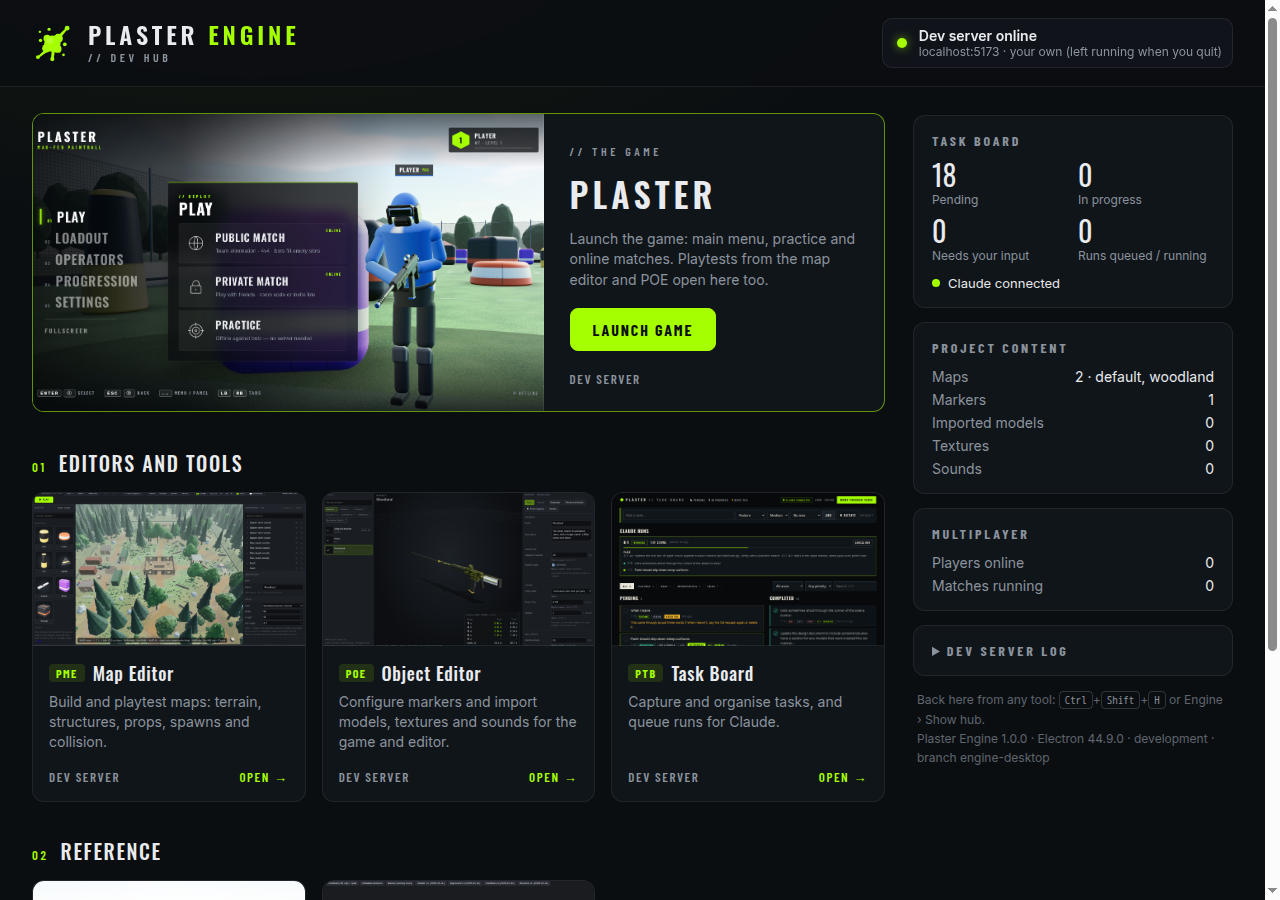 Hub
Hub| Start | The Plaster Engine shortcut on the desktop or in the Start menu, or npm run engine. Launching it again brings the running one forward. |
|---|---|
| One window per tool | Opening a tool that's open (from the hub, the Tools menu or a link) focuses its window. Window sizes and positions are remembered. |
| Links between tools | POE's Map editor and Test in game, the map editor's Open game and Manage assets in POE, the task board's Game and Editor links all go to that tool's window. Other websites open in the browser. |
| Game versions | The hub's Game versions section runs the development, test and production branches the way a release would run them (built, served by the production server, multiplayer included), on localhost:8081, :8082 and :8083, each in its own window and side by side with the live dev server. Build & play fetches the branch's latest commit, builds it (skipped if nothing changed) and starts it; Update & play appears when a running version has a newer commit. Each version is its own git checkout in the engine's settings folder, so your working folder is never touched; they borrow the project's node_modules. |
| Go live | With the Test or Production build running, its card has Go live (each its own link, both can be live at once, so a test build can be playtested before it's released): a Cloudflare quick tunnel (electron/live.cjs, needs cloudflared: winget install Cloudflare.cloudflared) gives a public trycloudflare.com link for a playtest, shown with Copy link, players online and Stop live. Players reach the game through Cloudflare, so your IP address stays hidden; only the built game and multiplayer are served. A new link each time; it closes when you stop, when production stops or when the engine quits. |
| Claude | The hub's Claude panel opens a terminal in the Plaster folder running your Claude command: Work through tasks starts it with "work through the task board" (it picks up runs you queued on the task board), Open Claude just starts it. Set the command under Command: plain claude if Claude Code is installed on Windows, or whatever starts your sandbox session ({prompt} marks where the first message goes). Kept in the engine's own settings, not the project. Uses Windows Terminal when it's installed, otherwise a console window. |
| Back to the hub | Ctrl+Shift+H from any window, or Engine › Show hub. F5 reloads, F12 opens DevTools, F11 is full screen. No Ctrl+letter shortcuts: in the game Ctrl is crouch. |
| Unsaved work | The map editor and POE ask before a window closes with unsaved changes. Quitting closes the tools first, and Stay in any of them cancels the quit. |
| Browser-only | Voice dictation on the task board needs Chrome or Edge speech recognition, which Electron doesn't have: View › Open this page in the browser. Typing works everywhere. |
02The dev server
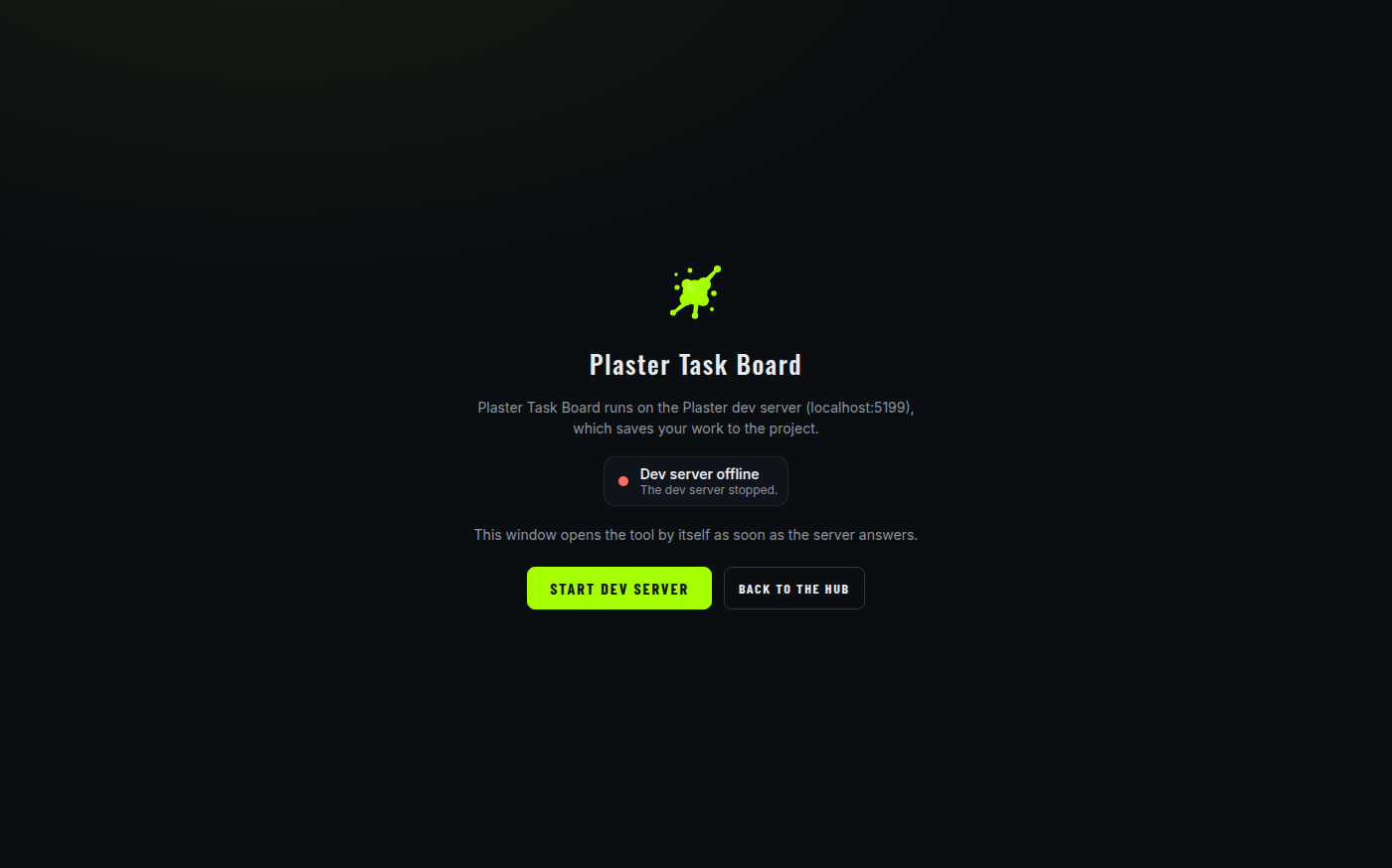 Offline
| Uses yours | If the Plaster dev server already answers on localhost:5173 (your own npm run dev, or the sandbox's published port), the engine uses it and leaves it running when you quit. |
|---|---|
| Or starts one | Otherwise it starts Vite itself with Electron's built-in Node (no Node install or PATH needed), shows its output under Dev server log, and stops it when you quit. A server it didn't start is never stopped. |
| Saving | Maps, markers, imports and tasks are saved by the dev server into the project, exactly as from the browser, so closing and reopening the engine never loses work. |
| Own storage | The engine's windows have their own browser storage, separate from Chrome or Edge: the game's operator name, settings and progression, and POE's unsaved drafts, are kept apart. |
03Developing it
| Tool pages | Hot reload through Vite, as in the browser. No restart. |
|---|---|
| The hub | electron/hub/: the hub reloads itself. |
| Main process | electron/*.cjs: Engine › Restart Plaster Engine. Running npm run dev yourself makes restarts instant (the engine then doesn't restart Vite too). |
| Add a tool | One entry in electron/tools.cjs: the card, the Tools menu and link routing come from that list. |
| Installer | Not yet. An installed app can't rely on Vite, and the editors' save APIs live in Vite's dev plugins today. The plan (move them into a shared tools server, build every page, package with electron-builder) is in electron/README.md. |
A thin shell
Electron only manages windows and the dev server (electron/main.cjs). No tool code moved or changed; each tool is the page it always was, at the same URL.
Locked down
Every page runs sandboxed, isolated and without Node. Tools reach project files only through the dev server's own APIs. The hub's small bridge can only open windows and start the server, and only the engine's own pages get it.