◆Plaster// Main menu
Deep dives

Main menu

// src/menu/ · src/progress.js · added 2026-10-16

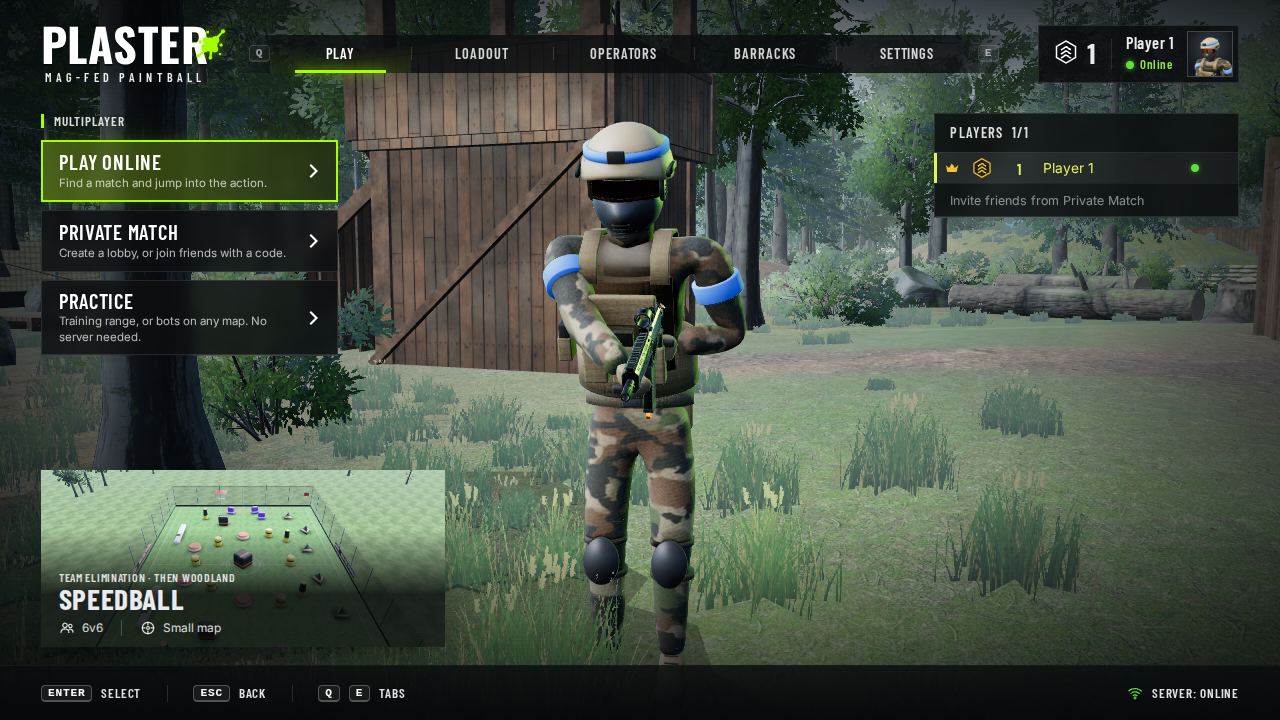
A shooter-style front end, redesigned on 2026-10-23 after the reference shots in inspiration/menus/: the logo and five tabs across the top, cards down the left, the player card top right, the map card bottom left, and your operator standing on Woodland in front of the watchtower.

01The screens

The main menu on Woodland: Plaster logo and tabs across the top, Play Online, Private Match and Practice cards on the left, the next public map bottom left, the player list on the right and your operator in the middle by the watchtower.Play
PlayPlay Online, Private Match and Practice on the left; the next public match's map bottom left; the player list on the right; your operator in the middle.
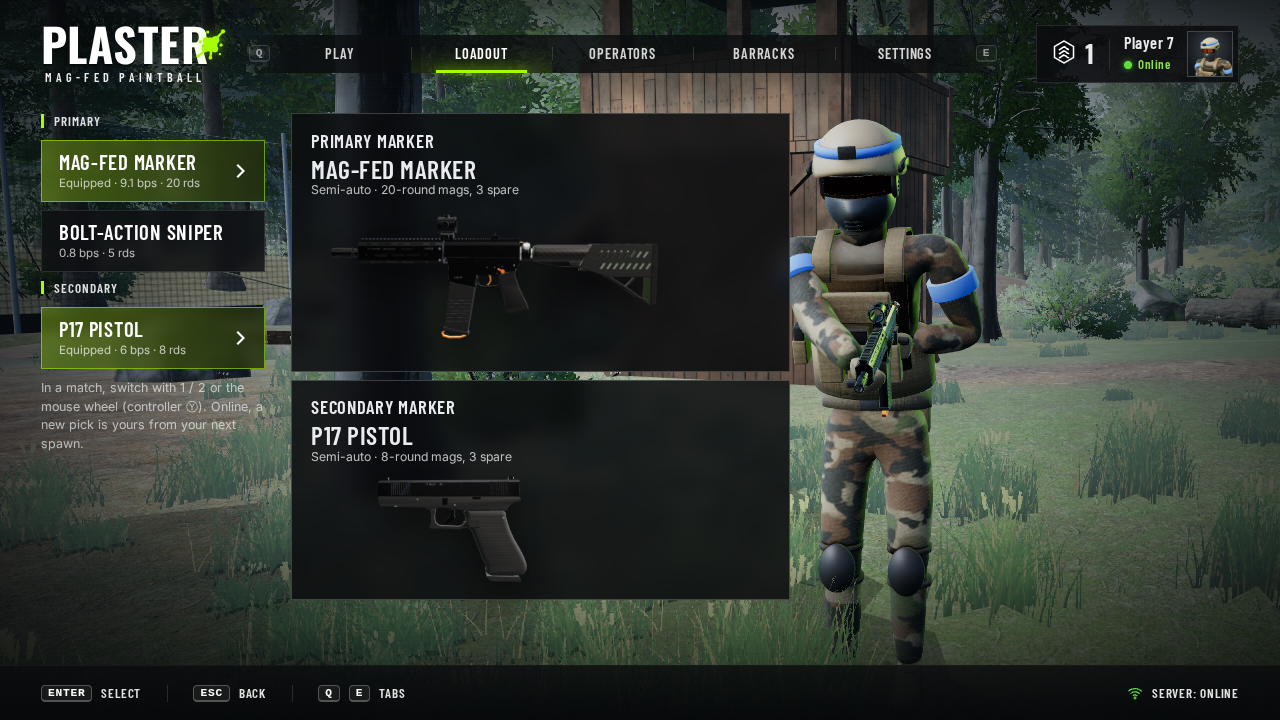
Loadout: primaries and sidearms listed on the left, a panel with a picture for the primary marker and one for the sidearm in the middle, your operator standing on the right.Loadout
LoadoutPrimaries and sidearms on the left; a panel for each slot with a picture rendered from its real model; your operator on the right.
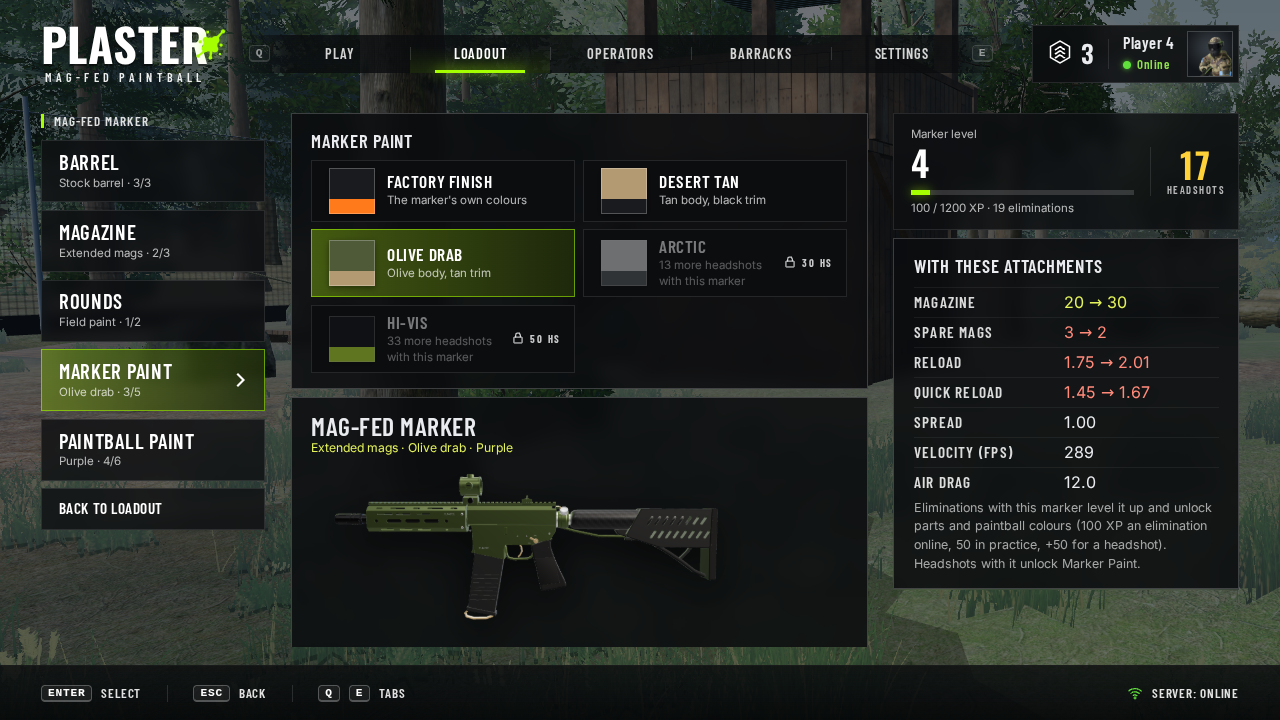
Loadout, Attachments: the marker's slots (barrel, magazine, rounds, Marker Paint, Paintball Paint) on the left, the Marker Paint swatches with locked ones greyed out and a picture of the painted marker in the middle, and the marker's level, headshots and stats stock to fitted on the right.Attachments
AttachmentsPressing a marker's panel in Loadout opens its attachments: slots on the left, parts in the middle, the marker's level and headshots and every number stock → fitted on the right. Shown: Marker Paint, with the paint jobs that need more headshots locked.
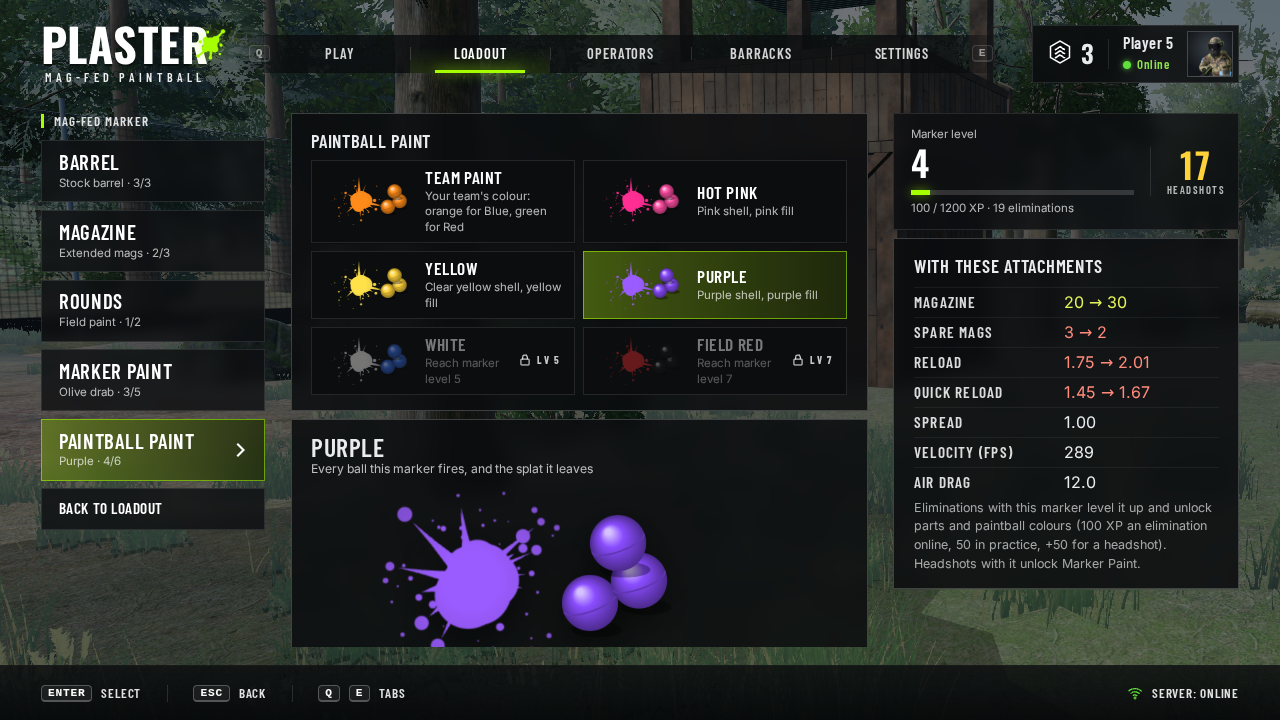
Loadout, Attachments, Paintball Paint: each colour as a splatter with paintballs, locked colours greyed out with the level they need, and a large picture of the picked paint.Paintball Paint
Paintball PaintEach colour shown as a splat and its balls; the picked one large. Locked colours say the marker level they need.
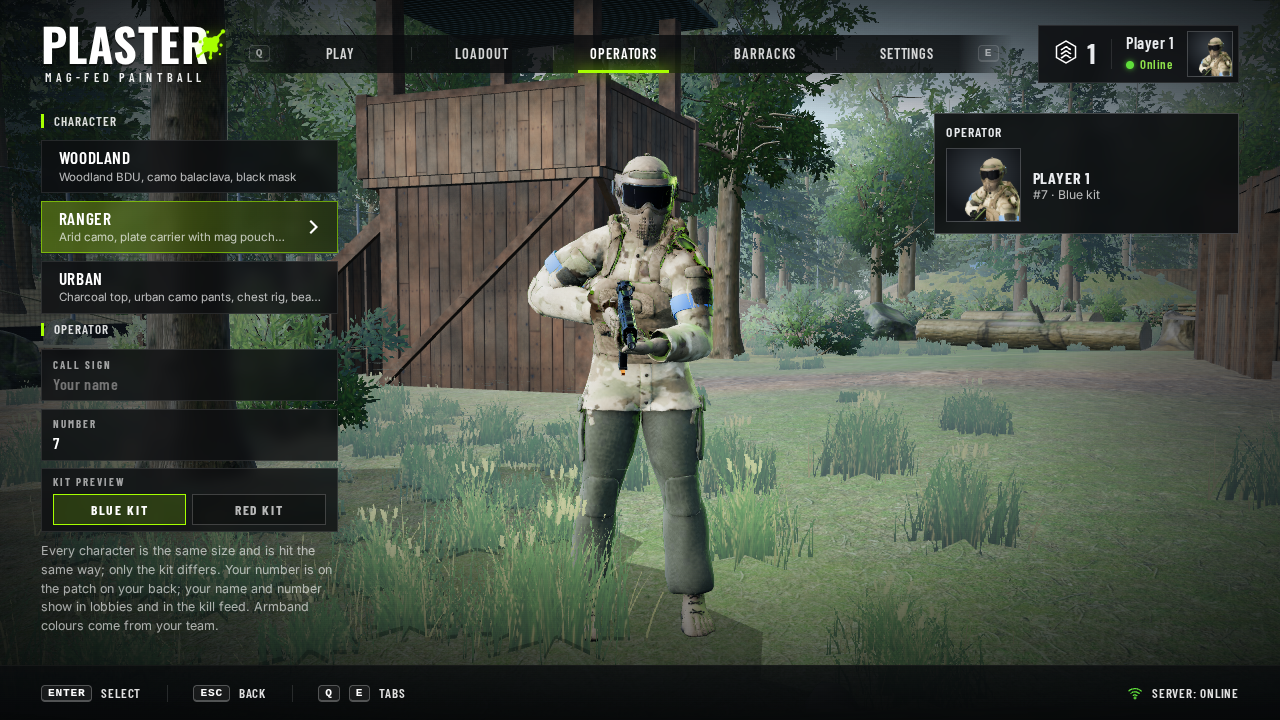
Operators: the three characters (Woodland, Ranger, Urban) and the call sign, number and kit preview on the left, the operator card on the right, your full-body operator (here the Ranger) in the middle.Operators
OperatorsPick your character (Woodland, Ranger, Urban), then call sign, number (1–99) and a blue / red kit preview on your full-body operator.
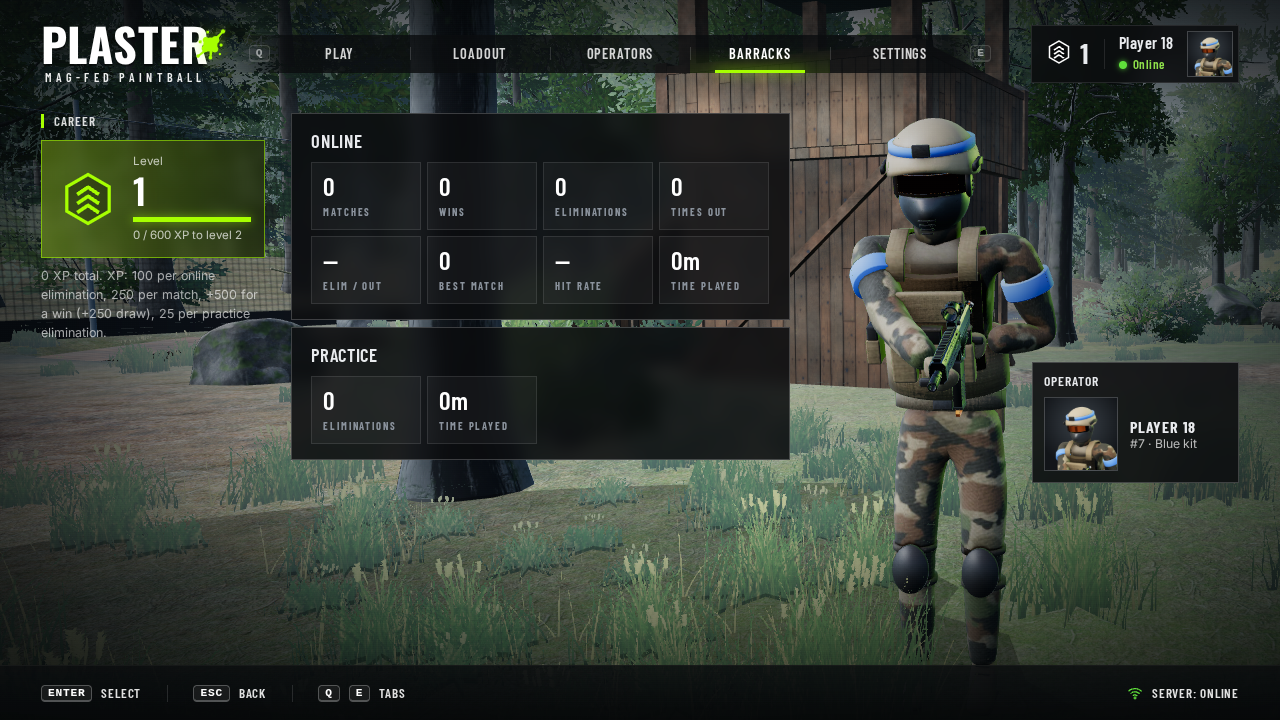
Barracks: level card with XP bar on the left, online and practice stat panels in the middle.Barracks
Barracks (was Progression). Level and XP, then career stats for online matches and practice.
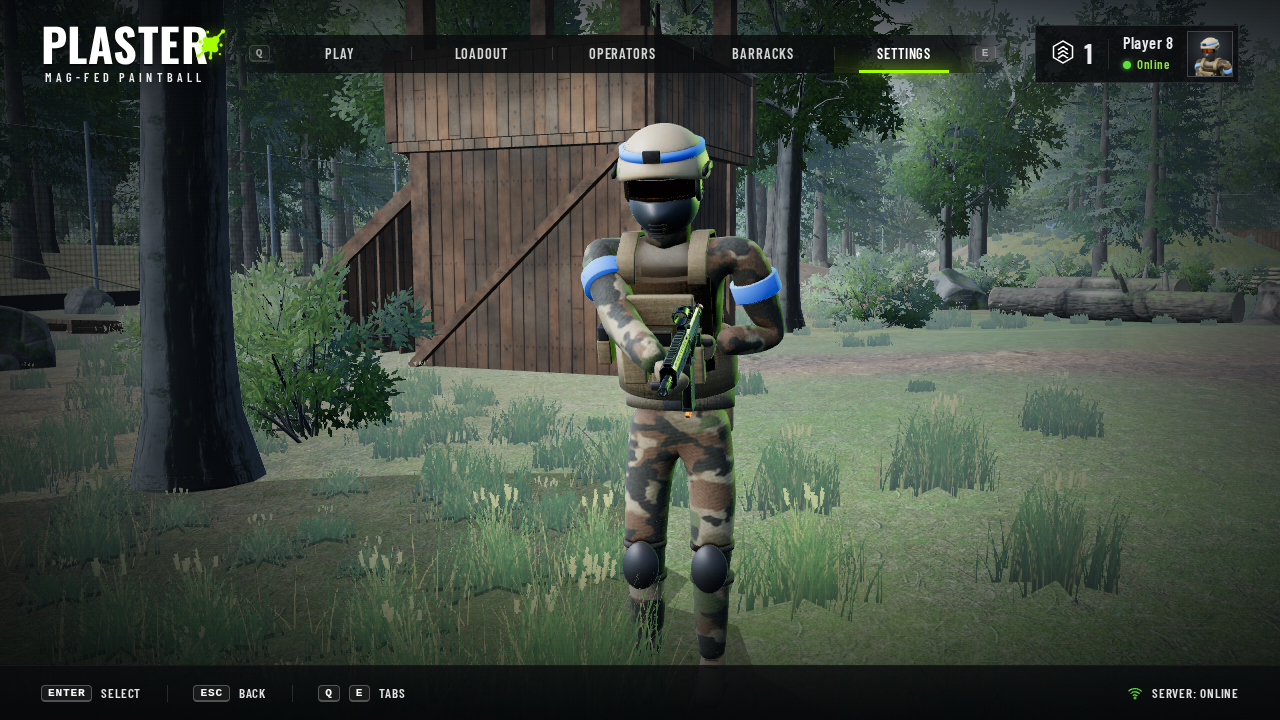
Settings: Controls, Display and Audio cards on the left, the chosen group's settings in a panel in the middle.Settings
SettingsGrouped into Controls, Display, Graphics and Audio, plus Fullscreen and Reset to defaults.
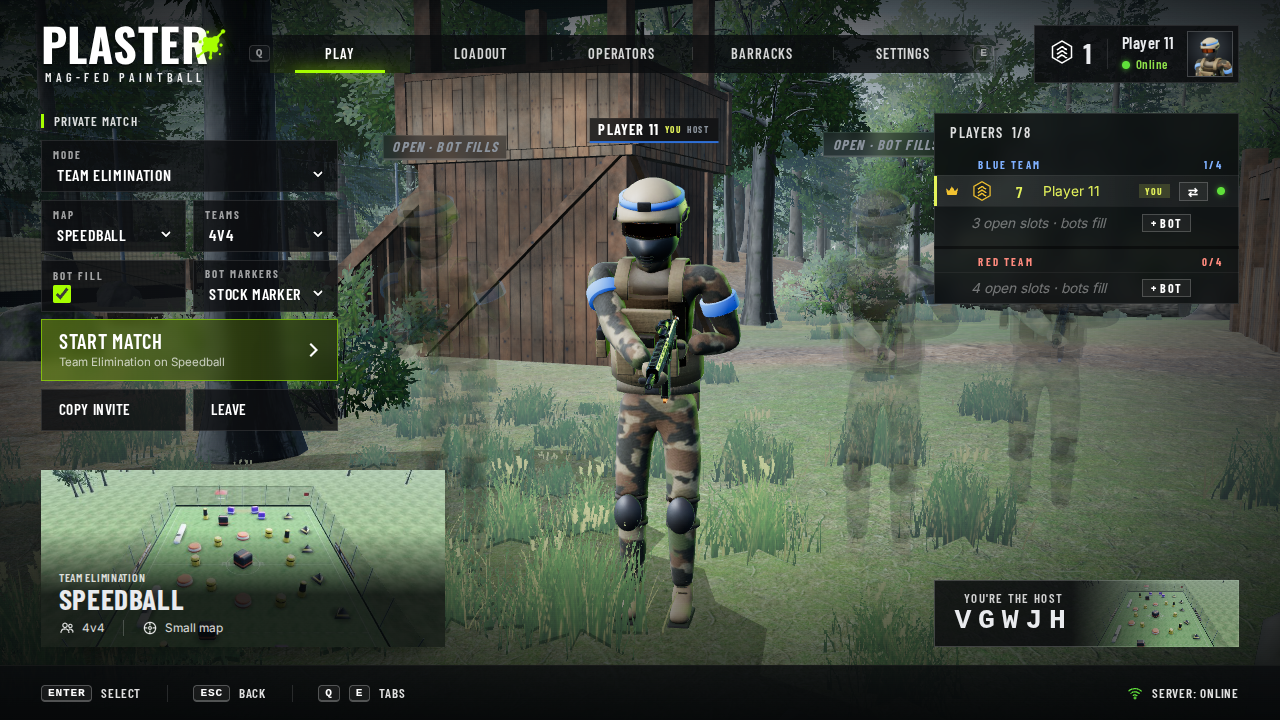
A private lobby: host settings on the left, the map card bottom left, both teams in the player list on the right, your squad standing in a V.Lobby
LobbyHost settings on the left, the map card bottom left, both teams in the player list on the right, and your squad standing in a V.
Top barThe Plaster logo with its splat, the tabs (Play, Loadout, Operators, Barracks, Settings) with a lime underline on the open one, and the player card: level, name, online status and a portrait rendered from your operator in your kit and number.
PlayPlay Online (matchmaking), Private Match (create a lobby or join by code) and Practice (the training range or bots on a map you pick: see Maps). The map card shows the map's picture, mode, team size and map size. See Multiplayer.
LoadoutTwo slots: a primary marker and a sidearm, listed separately, each with its own panel. Pick from the stock markers (Mag-fed marker, Bolt-action sniper, P17 pistol) or any made in POE. Each slot's panel shows the marker's name, firing mode, magazines and a picture rendered from its model; the right side is left clear for your operator. Online, a new marker is yours from your next spawn. The list on the left picks the marker; each slot's panel says Customize: pressing it opens that marker's Attachments (Barrel for primaries, Magazine, Rounds, Marker Paint, Paintball Paint), kept per marker; the panels list what's fitted and show the marker in its paint job. Each marker card shows the marker's level.
AttachmentsFull width, no operator. Slots down the left, the chosen slot's parts in the middle over a picture of the marker, and on the right every stat stock → fitted (lime better, red worse). Barrel: long (tighter, slower reloads) or short (wider, quicker). Magazine: extended (half as much paint again, one spare less, slower reloads) or speed (a quarter less, much quicker reloads). Rounds: First Strike (faster, flatter, straighter, one spare less). Marker Paint: body and trim colours for the built-in marker models, each shown as a swatch; the marker's picture (and your operator in the lobby) shows the paint you pick, and other players see it on your marker in the match and the lobby (from your next spawn). Paintball Paint: the colour of the balls you fire and the splat they leave, each shown as a splatter with balls (stock: your team's paint). Unlocks: every marker has its own level (100 XP an elimination online, 50 in practice, +50 for a headshot; level n needs 300·n·(n−1)/2) and headshot count. Parts and paintball colours unlock at marker levels, Marker Paint at headshots (5 / 15 / 30 / 50 by default); locked options are greyed out with what they need and what's left. A "Headshot" call-out shows under the crosshair when one counts. The list is edited in POE (Attachments), saved to public/markers/attachments.json; src/sim/attachments.js holds the defaults and rules the server shares. Esc / Ⓑ goes back to Loadout.
OperatorsCharacter: Woodland, Ranger or Urban (src/sim/characters.js). Same body, rig and hitbox for all three; only the kit differs. Your operator in the lobby and your portrait change with it, and online everyone sees it. Then call sign and player number, which show in lobbies and online matches; the server uses your number instead of a random one.
BarracksLevel and XP, then online stats (matches, wins, eliminations, times out, elim/out, best match, hit rate, time played) and practice stats.
SettingsControls: mouse and controller look speed, invert look. Display: field of view, FPS counter, ping (online). Graphics: a Quality preset (High, Medium, Low, or Custom), shadows, resolution, tree detail, textures, anti-aliasing, and in Plaster Engine an uncapped frame rate. Audio: volume. Fullscreen, and Reset to defaults (keeps your name, number and markers). The Esc menu shows the same settings.
FooterButton hints (keyboard or controller, whichever you used last) and the server status.

02The 3D lobby

The main menu loads Woodland (MENU_MAP in src/map/load.js) and stands you in front of the watchtower, with the log pile and forest off to the right; on another map it falls back to Speedball's blue start. Same character model and marker as in a match, under a darker grade with a warm key light and a lime rim light. The camera eases between four shots and drifts slightly:

HeroYou, centre screen between the menu's columns (Play, Barracks, Settings).
LineupYour team in a V, you in front and teammates a step back on either side, with name plates over each (Play Online, lobbies).
OperatorFull body, slowly turning (Operators).
LoadoutYou to the right of the loadout panels (Loadout).

Marker pictures and the portrait are rendered from the game's own models by a small offscreen renderer (src/menu/pictures.js), so they always match what you play with.

03XP and levels

Online100 XP per elimination, 250 per match played, plus 500 for a win or 250 for a draw.
Practice25 XP per elimination.
LevelsLevel n needs 600 · n(n+1)/2 XP in total: 600 for level 2, 1,800 for level 3, 3,600 for level 4 …
StoredIn this browser (localStorage), not on the server yet. Time played counts only while actually playing.

04Controls

MouseClick anything.
KeyboardQ / E switch tabs, ↑ ↓ move, ← → move between the columns, Enter select, Esc back.
ControllerD-pad or left stick move, Ⓐ select, Ⓑ back, LB / RB switch tabs. Left / right also adjusts sliders.