Deep dives
Controls
Three ways to play, all active at once: mouse and keyboard, keyboard only, or a controller. Keyboard-only and controller play don't need the mouse captured, so they also work over remote desktop.
01Starting and pausing
| Starting | Joining a match or starting Practice drops you straight into play; the pause screen only appears when you pause. If the browser hasn't given the game the mouse yet (after a page load), keys and controller work at once and a hint says Click to aim with the mouse: that click captures the mouse without firing. |
|---|---|
| Mouse | Click: the mouse is captured for aiming. Esc frees it and pauses. |
| Keyboard | Press Enter on the menu: the game runs without capturing the mouse. Esc pauses, Enter resumes. |
| Controller | Press Ⓐ (or Start) on the menu; Start pauses and resumes. The menu shows the controller layout as soon as one is connected. |
| Fallback | If the browser refuses to capture the mouse (some remote-desktop setups), the game starts in keyboard mode automatically. |
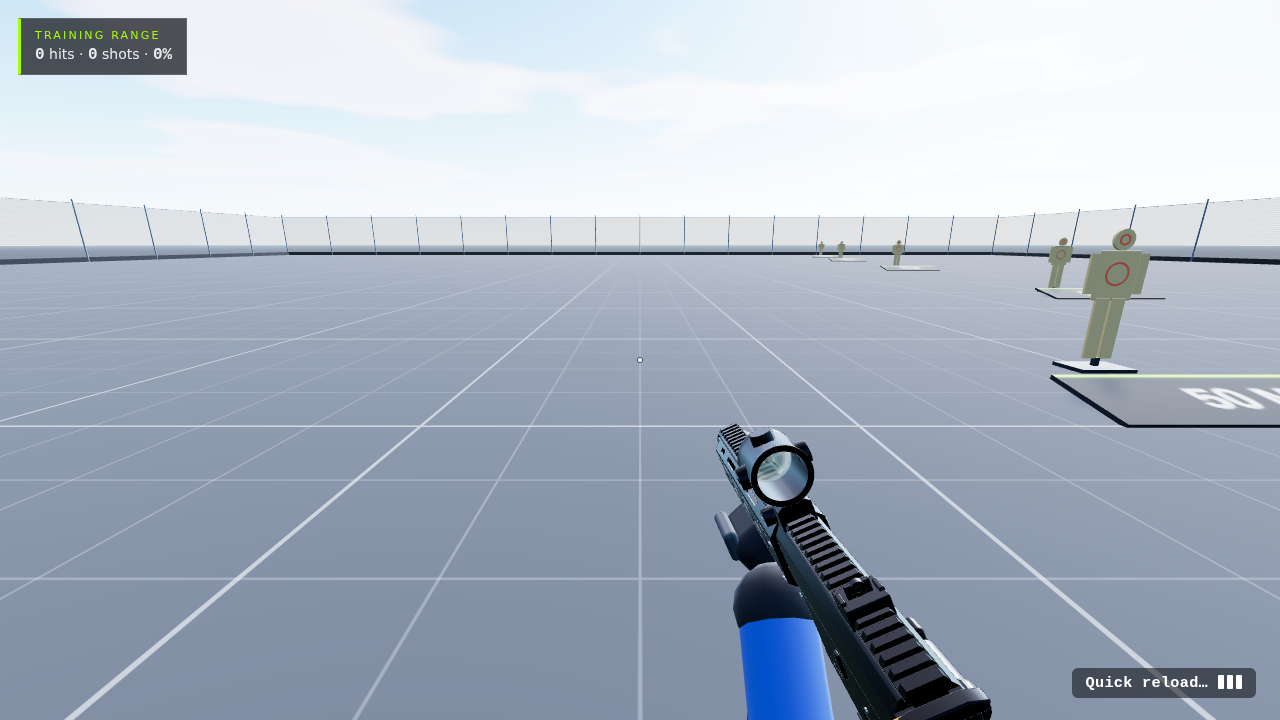 Reload
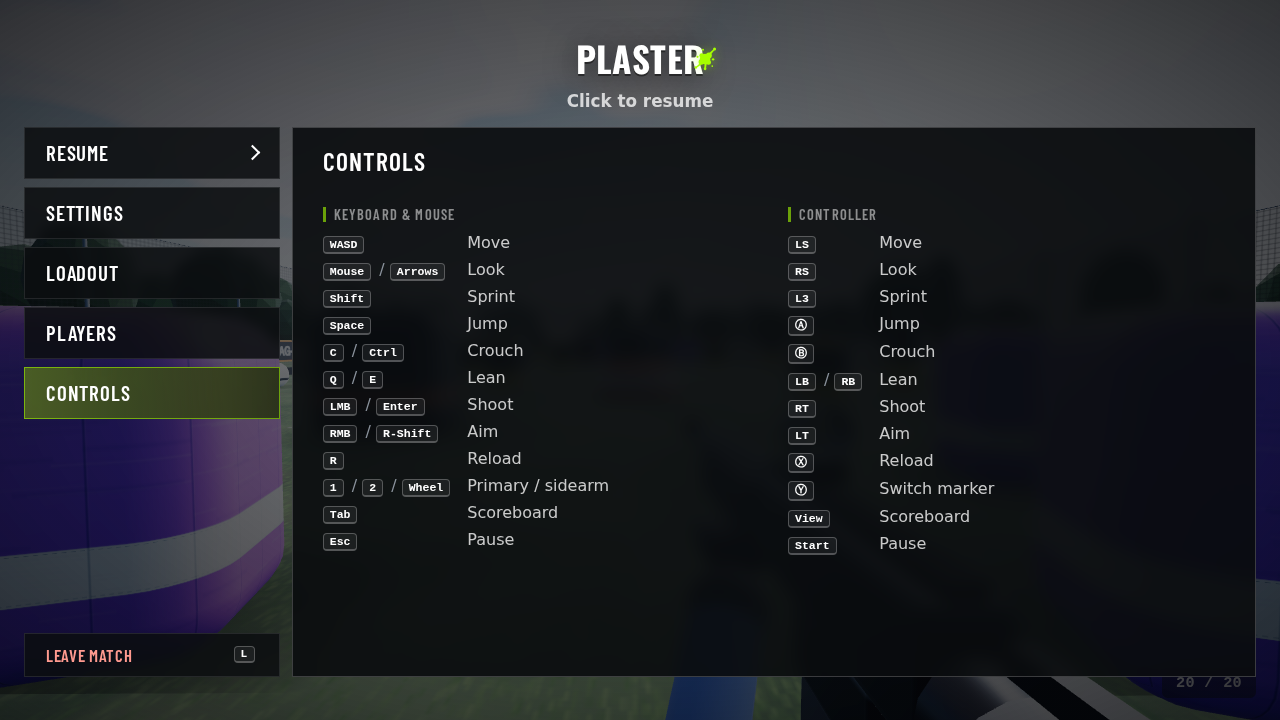 Esc menu
02Keyboard and mouse
WASDMove
MouseLook
ArrowsLook (no mouse needed)
L-ShiftSprint
SpaceJump
CCrouch
Q / ELean
LMB / EnterShoot
RMB / R-ShiftAim down sights
RReload: tap to swap mags, hold to drop the mag (quicker)
1 / 2 / WheelPrimary / sidearm
EscPause
Keyboard-only shooting is on Enter (also /) and aiming on Right Shift (also .), next to the arrow keys. Ctrl is avoided on purpose: Ctrl+W while walking would close the browser tab.
03Controller
LSMove (push further = faster)
RSLook
L3Sprint
RTShoot
LTAim down sights
ⒶJump
ⒷCrouch
ⓍReload: tap to swap, hold to drop the mag
ⓎSwitch primary / sidearm (plant or defuse where you can)
LB / RBLean
StartPause
| Controllers | Anything the browser reports in the standard layout: Xbox, PlayStation (✕ ○ □ △ in place of Ⓐ Ⓑ Ⓧ Ⓨ), Switch Pro. Plug in or pair, then press a button so the browser sees it. |
|---|---|
| Feel | Dead zone on both sticks (small drift is ignored), a response curve on the right stick for fine aim, look speed halved while aiming down sights. Sprint is CoD-style: click L3 and it holds until you stop pushing forward. Crouching (C, Ctrl or Ⓑ) ends a sprint and you can't sprint crouched; Shift or L3 stands you up and sprints again. |
| Rumble | A light tap when you fire and a strong one when you're hit, on controllers that support it. |
| Sound | Browsers only start audio after a click or key press, and a controller button doesn't count in every browser. If it's silent, press any key once. |
04Menus and online
| Menus | Arrow keys or D-pad/stick move, Enter or Ⓐ selects, Esc or Ⓑ goes back. Ⓐ on a dropdown cycles its options; left/right on the D-pad moves a slider. |
|---|---|
| Sprint stamina | Sprint lasts about 4.5 s from full and refills over 3.5 s once you've been off it for 0.8 s. Run it dry and you're winded: no sprint until it's back to 35%. A thin bar over the ammo counter shows it while it isn't full (orange when winded). Sprint is 6.2 m/s, run 4.6 m/s. |
| Spectating | Search & Destroy, once you're out: you see through a living teammate's eyes; Space or Ⓐ switches to the next one. |
| Scoreboard | Hold Tab or Back/View during an online match: eliminations, outs and K/D for everyone. In Search & Destroy it marks who's out for the round. |
| Switching | Your loadout has a primary marker and a sidearm. 1 / 2, the mouse wheel (one switch per flick) or Ⓨ swaps them: the other comes up from below in 0.45 s and can't fire or aim until it's up; a reload in progress is called off. Each keeps its own magazine and spares. Every life starts on the primary. |
| Esc menu | Esc or Start: Resume, Settings (applied live), Loadout (practice: the new marker is in your hands at once; online: from your next spawn, the next round in Search & Destroy), Controls, and Leave match / Main menu (also L or Ⓨ). Online the match keeps going behind it. With a controller it opens on Resume: D-pad or stick moves, right goes into the screen and left back to the tabs, LB / RB switch tabs, Ⓐ selects (cycles a dropdown, ticks a box), left / right moves a slider, Ⓑ steps back to the tabs and from there resumes, Start resumes. |
| Capture a task | Dev builds only: hold T to dictate a task for the task board, release to review it. In a match it pauses first. |
| Touch | Phones and tablets (src/touch.js): a stick appears where your left thumb lands (push it to the edge to sprint); drag on the right half to look, Fire works as a look pad too. Buttons: Fire, Aim (a toggle), Jump, Crouch, Reload, Swap (Plant / Defuse when you can), Scores and Menu. They show on the first touch and hide when a mouse or key is used. |
| Settings | Mouse sensitivity, controller look speed, invert controller look, field of view, graphics (quality preset, shadows, resolution, tree detail, textures, anti-aliasing, frame rate), volume, FPS counter and ping readout (main menu › Settings, or the Esc menu in a game). Name and jersey number are under main menu › Operators. |
05Map editor
The editor works without a mouse too: WASD moves, the arrow keys look around, E/Q go up and down. See the Map editor page for the full list.